


Xero launches rebuilt credit notes with phased rollout
Mon, 26th Jan 2026%201.webp)
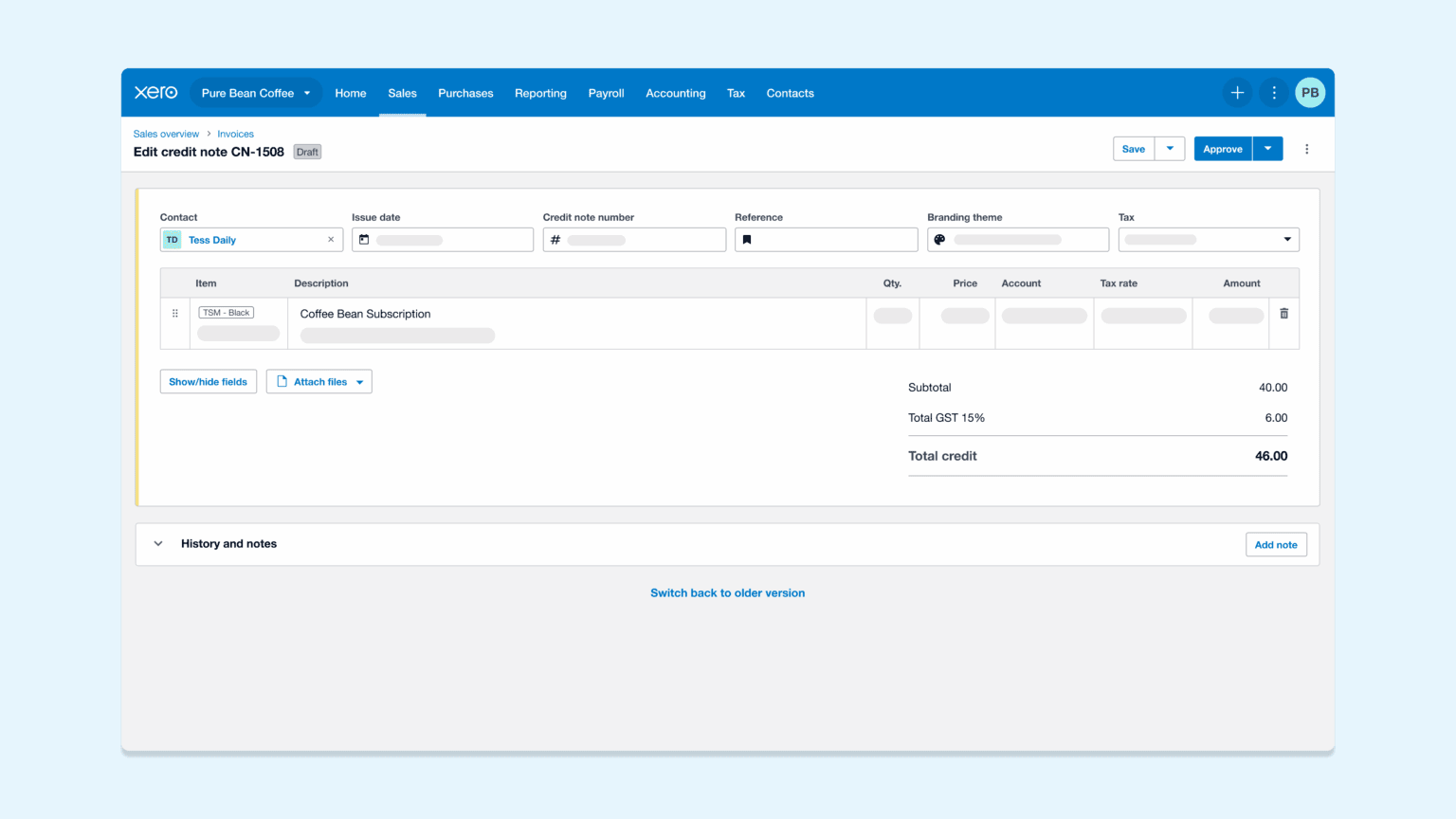
Xero has started rolling out a redesigned credit notes experience inside its accounting platform, with a new layout and changes to how users edit, save and refund credit notes.
The company said it has begun releasing the new version to customers and plans to use customer feedback during the rollout. Users can switch between the new and old versions of credit notes during the transition period.
"By bringing credit notes in line with how you already create invoices and quotes, we're making Xero more intuitive," said Darren Alvares, Head of Product - Manage Sales, Xero. "It means one less system to learn and more time to focus on your business."
Xero said the redesign aims for consistency with the existing invoicing screens. It changes the overall layout, navigation and the placement of buttons. The company said it will provide notice before it removes the older version of credit notes.
Rollout approach
The company framed the update as an in-product transition rather than a one-time switchover. Users who see the updated credit notes screen can explore the changes at their own pace. Xero said a switch button at the top of the page lets users return to the old version with one click.
"Soon, you'll be introduced to the new version of credit notes when you log in to Xero," said Alvares. "We've started releasing the new version to customers so we can listen to your feedback and make sure it's working the way you need."
Xero said the updated credit notes design follows the same approach as invoicing for layout and navigation. It positioned this as part of a wider effort to standardise workflows across sales documents such as invoices, quotes and credit notes.
Functional changes
Alongside visual changes, Xero said that some functions now behave differently from those in the previous version. The company highlighted three areas for customers to note during the transition: editing paid credit notes, saving behaviour and refund processing.
Xero said paid credit notes now have protections that prevent changes. The company linked this change to audit trail and record integrity. Users who need to update a paid credit note must first remove the payment or allocation, then reapply it after making the change.
"To keep your audit trail secure and your books accurate, paid credit notes are now protected from changes," said Alvares.
The company also said credit notes in the new version do not save automatically. Users must manually save a credit note.
"Unlike invoicing, credit notes are not automatically saved in the new version," said Alvares. "You'll need to manually save your credit note."
Refund processing has also changed for cheque-based cash refunds. Xero said users must click an 'Add cash refund' button at the top of the credit note. Users then process a cheque refund from the transaction document on the invoice list page.
"To add a cash refund by check, click the 'Add cash refund' button at the top of your credit note," said Alvares. "Then, you can refund by check on the transaction document from the invoice list page."
Tools in development
Xero said it is developing additional tools related to credit notes. It described these as forthcoming improvements that relate to refund entry, data entry speed and reviewing outbound communications.
The company said it is working on an option that adds cash refunds directly from a credit note. It also said it is developing the ability to add multiple new rows at once. Xero said it plans a side-by-side email preview for credit notes.
"We're already working on new tools to help you work even faster," said Alvares.
"We'll continuously monitor feedback and make improvements to your overall experience with creating credit notes," said Alvares.
Interface updates
Xero said the rebuilt credit notes experience also includes updates to history tracking, error messages and keyboard behaviour. The company said the history view now includes more detail for edit actions. It also said it has improved error messages and the keyboard experience for entering items and moving through fields.
"We've rebuilt credit notes from the ground up to give you a faster, smoother experience today and a foundation that helps us build additional tools you've been asking for even faster," said Alvares.
Xero said it will keep the old version available during the transition and provide notice before it removes it. "We'll give you plenty of notice before we say a final goodbye to the old version, so you'll have the time you need to get settled," said Alvares.